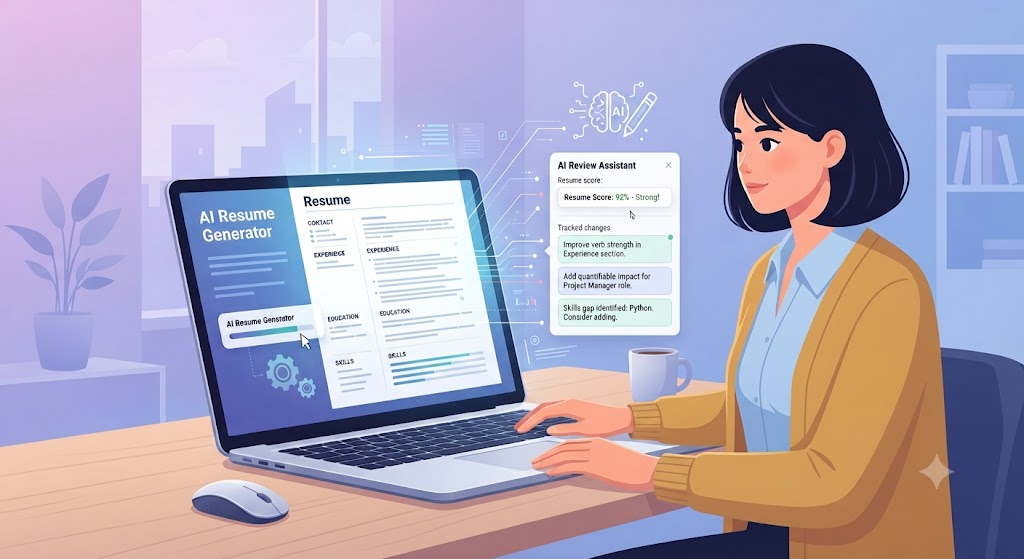
A free AI resume builder takes the blank-page problem out of job searching. Instead of formatting bullet points from scratch or guessing which skills to highlight, you answer a few prompts or paste in your work history, and the tool generates a structured, keyword-aware draft you can edit. The best free tools now handle formatting, phrasing, and even basic ATS compatibility checks automatically, which used to be the kind of thing you'd pay a resume writer for. This guide covers how these tools actually work, what separates a genuinely useful free plan from a bait-and-switch one, and how to get a resume you'd actually want to submit.
What Is a Free AI Resume Builder, and How Does It Work
Under the hood, a free AI resume builder uses a language model to turn raw information- your job titles, dates, and a rough description of what you did- into polished, achievement-focused bullet points. Most also run your draft against common applicant tracking system rules, checking things like standard section headings, readable fonts, and keyword coverage against a job description you paste in. The output isn't meant to be final; it's a strong first draft that would otherwise take hours to write from scratch.
What to Look for in a Free AI Resume Builder
Not all free plans are built the same. Look for a tool that lets you export a real .docx or PDF file without a watermark, since some free tiers lock the download behind a paywall after doing all the work. Check whether it offers ATS compatibility scoring, keyword matching against a specific job posting, and more than one template, since a single generic layout won't fit every industry. Just as important is whether the tool actually lets you edit the generated text freely, rather than locking you into rigid, uneditable sections.
Free vs. Paid AI Resume Builders: What You Actually Get
Free plans are usually enough to build one strong, exportable resume with basic ATS checks and a couple of templates. Paid tiers typically add unlimited resume versions tailored to different roles, cover letter generation, deeper keyword matching against specific postings, and sometimes human review. If you're actively applying to a handful of similar roles, a free plan is often all you need. If you're applying broadly across different job types or industries, the ability to generate multiple tailored versions quickly becomes worth paying for.
Step-by-Step: Building Your Resume in Minutes
Start by pasting in your existing resume or LinkedIn profile if you have one, since the tool works faster from raw material than a blank prompt. Paste the job description you're targeting so the builder can match its language and required skills. Review each generated bullet point and replace any vague phrasing with a specific number or outcome, since AI tools default to generic phrasing without added detail. Run the built-in ATS check, fix any formatting flags, and download the final file as a .docx before you apply.
Common Mistakes People Make With AI Resume Builders
The biggest mistake is submitting the first draft unedited, which tends to read as generic and repetitive to a recruiter who reads hundreds of resumes a week. Others include leaving in placeholder text the tool generated, using the same AI-written resume for every application instead of re-running it against each job description, and picking a heavily designed template that looks great on screen but breaks when an ATS tries to parse it. Treat the AI output as a starting draft, not a finished product.
Key Takeaways
A free AI resume builder can produce a strong first draft in minutes, not a finished, ready-to-send resume.
Choose a tool with watermark-free export, ATS scoring, and multiple templates.
Paste in a target job description so the tool can match keywords, not just generic phrasing.
Always edit AI-generated bullet points to add specific numbers and outcomes.
Free plans work well for one strong resume; paid tiers make sense once you're tailoring many versions.
Frequently Asked Questions
Are free AI resume builders actually good enough to use?
Yes, for most job seekers a solid free tool is enough, especially if it offers watermark-free export and ATS scoring. The output quality depends more on the detail you put in and how much you edit the draft than on paying for a premium plan.
Will an ATS know my resume was written with AI?
No, an ATS only parses text and formatting; it has no way to detect how the content was written. What matters to the ATS is clean structure, standard headings, and relevant keywords, all of which a good AI resume builder is specifically designed to produce.
How much should I edit the AI-generated draft?
Plan on editing every bullet point at least lightly. Add specific numbers, tools, and outcomes the AI couldn't know about, and cut any phrasing that sounds interchangeable with any other candidate's resume.
Topezia's free AI Resume Builder checks your formatting and keyword match against real job postings as you write, and the AI Career Coach can review your finished draft and suggest specific edits before you apply.